
Start here
What Pragma is
A desktop app where your AI models work together as one: every chat is a real AI agent with its own model or models, its own instructions, and its own computer.
Pragma is a desktop app for Windows and macOS. It looks like a messaging client, and the contacts in the sidebar are agents. Each one is a real process running on your machine, with its own model, its own instructions, its own working folder, and optionally its own computer.
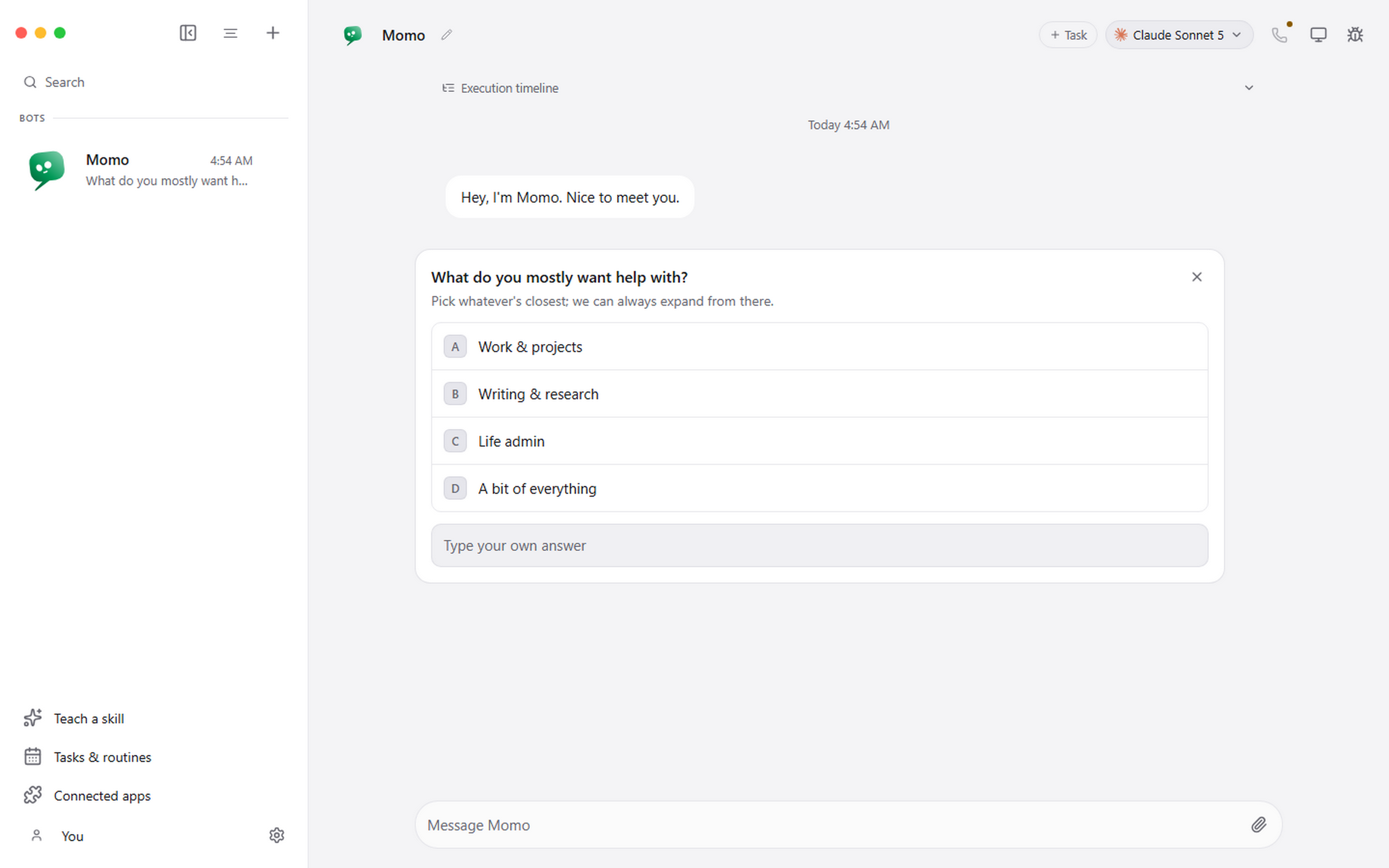
The important part is that Pragma does not proxy your messages through an account of ours. It starts agent command-line tools that are already installed and signed in on your computer, and normalises what they emit into one stream the interface can render. Your Claude subscription stays your Claude subscription. Your conversations stay in ~/.pragma on your disk. Pragma can also run an open model on your own graphics card, so an agent can work without any subscription at all.
Pragma is built so the models you already use work as one. A bot can run on more than one model, each for the part it does best, in the same conversation, folder and tools, and the work moves between them by itself. You stop going back and forth between providers: you ask once, in one place.
How the pieces fit together
| Layer | What it is | Where you change it |
|---|---|---|
| Agent | The identity: name, avatar, instructions, memory, conversation | Agent settings |
| Engine | The command-line tool that actually runs the reasoning loop | Model picker, and Settings, Engines |
| Local model | An open model Pragma downloads and runs on this computer, or one you bring | Model picker, and Settings, Local models |
| Working folder | The project an agent starts in, and the place it is meant to edit | Agent settings |
| Connected apps | Authorised access to Gmail, GitHub, Slack, Notion and several hundred more | Connected apps |
| Computer | A desktop an agent can see and control | Computer panel |
| Routines | The same job, on a schedule or from a webhook | Tasks and routines |
What it is good at
Running several specialists at once. A coding agent pinned to one repository, a research agent with a browser, an operations agent with your inbox and calendar. Different models, different folders, different permissions, all in one window.
Showing you the work. Tool calls, questions, permission requests, failures and costs are cards in the conversation rather than scrollback in a terminal you closed.
Stopping before it does something you did not ask for. Risky actions become an approval card. Denying one hands control back to the agent so it can find another way.
What it is not
It is not a hosted service. Close the app and the routines stop, because there is no server of ours running them. It is not a model provider either: what a given agent can do, and who bills you for it, is decided by the command-line tool it drives, or by your own hardware when the model runs on this computer.
It runs on Windows 10 and 11 (x64) and on macOS 12 or later, on Apple silicon and Intel Macs. There is no Linux build published yet.
Where to go next
- New here? Install Pragma, then take a tour of the window.
- Bought already and looking for your key? Your licence key.
- Want an agent that can click things? Giving an agent a computer.
- Want a model that runs on your own computer? Running a model on this computer.
- Something broken? Troubleshooting.