
Giving them hands
Giving an agent a computer
Nowhere, this machine, an isolated VM, or a hosted desktop. It is a per-agent choice and it is off by default.
Most work does not need one. An agent that reads and writes files in its working folder, calls connected apps, and runs commands does not need to see a screen. A computer is for the work that only exists visually: a web app with no API, a desktop program, something you can only verify by looking at it.
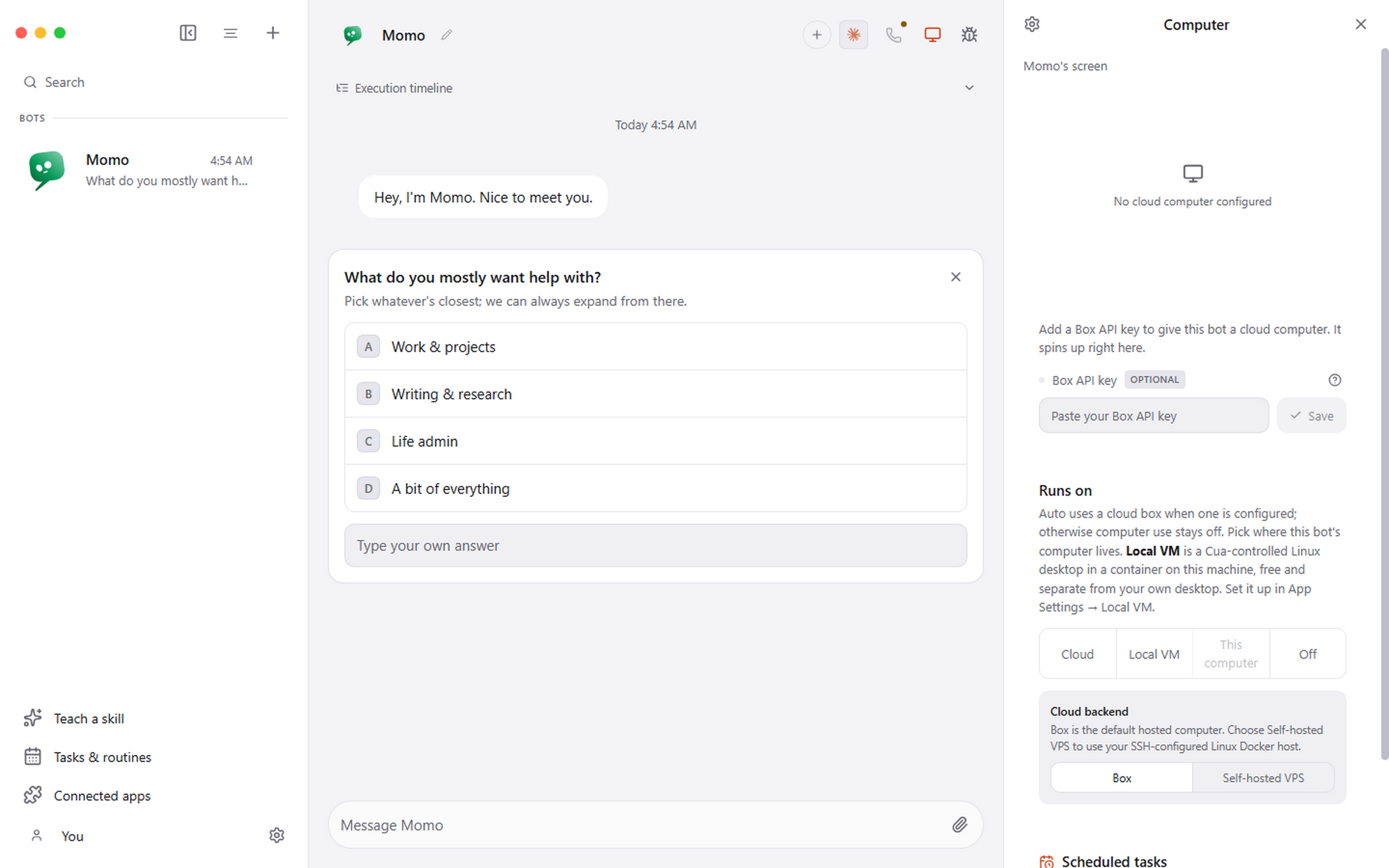
The four options
| Backend | Isolation | Best for |
|---|---|---|
| Off | Total | Everything that does not need a screen. The default |
| This computer | None | Your own apps and files, action by action, with approvals |
| Local VM | A container on your machine | Repeatable browser and desktop work you do not want touching your desktop |
| Hosted desktop | A remote machine | Always-available isolated Linux, or a VPS you own |
This computer
Local control is off by default and turning it on globally does not give it to any agent. You then choose This computer for the specific agent that should have it. Two switches, deliberately.
The Electron main process owns the control driver, so Windows and macOS attribute the permission prompts to Pragma rather than to a background helper you did not recognise.
Risky actions still come through the approval flow. Missing permissions, an unexpected binary, an unsupported desktop session or a failed health check all fail closed rather than carrying on with reduced checks.
Local VM
A containerised desktop through Docker or Podman. The agent gets a real Linux desktop with a browser, and nothing it does touches your machine.
This is the right default for browser automation. It is repeatable, it is disposable, and a mistake costs you a container.
Hosted desktops
A managed cloud computer, or your own VPS reached over Docker's SSH transport. Useful when work should keep running whether or not your laptop is open, or when it needs an IP that is not your home connection.
Backends are validated before they are reused, so a stale or half-provisioned machine is not silently handed to an agent.
Watching, and taking over
The panel can show live frames while an agent works, and supported hosted desktops offer an interactive viewer that opens inside Pragma, falling back to a browser when the provider requires its own join flow.
Android
USB Android control is available through the Phone Harness skill: a real handset over a cable, driven by the agent. It is a skill rather than a computer backend, so it appears in the skills list rather than the computer panel.