
Start here
Install Pragma
Download for free on Windows or macOS, install it, and point Pragma at an agent CLI you already use.
Pragma is free to download for now. You sign in with your email, and there is no card and no licence key to enter.
1. Download
Go to trypragma.xyz. The big button is the version for the computer you are on, and the line under it has the others.
| Your computer | Download | Needs |
|---|---|---|
| Windows | Download for Windows | Windows 10 or 11, x64 |
| Mac with Apple silicon (M1 or later) | Download for Mac | macOS 12 or later |
| Mac with an Intel processor | Intel Mac? Download for Intel | macOS 12 or later |
Not sure which Mac you have? Open the Apple menu and choose About This Mac. A Chip line means Apple silicon; a Processor line means Intel.
There is no Linux build yet.
2. Install
On Windows
The installer is per user. No administrator rights, no UAC prompt, and it installs over an existing copy without touching your conversations or settings.
On a Mac
- Open the downloaded
.dmg. - Drag Pragma into Applications.
- Open Pragma from Applications or Launchpad.
The Mac app is signed and notarized by Apple, so it opens without a security warning. Drag it to Applications before you open it: run from the disk image, it cannot update itself. Replacing an existing copy keeps your conversations and settings.
3. Sign in
The first time Pragma opens, it asks for your email address and sends you a 6-digit code. Enter it and you are in. There is no separate sign-up: the first code an address verifies creates its account. Signing in is what keeps your connected apps with you through updates, a reinstall or a move to another computer.
4. Install an agent CLI
Pragma runs agent command-line tools; it does not include one. Before it is useful you need at least one installed and signed in. Claude and Codex are the usual starting points.
- Install the CLI the way its own provider tells you to.
- Run it once in a terminal and finish signing in.
- Restart Pragma.
- Open the model picker. Engines that are ready appear normally. Engines that are not say exactly what is missing.
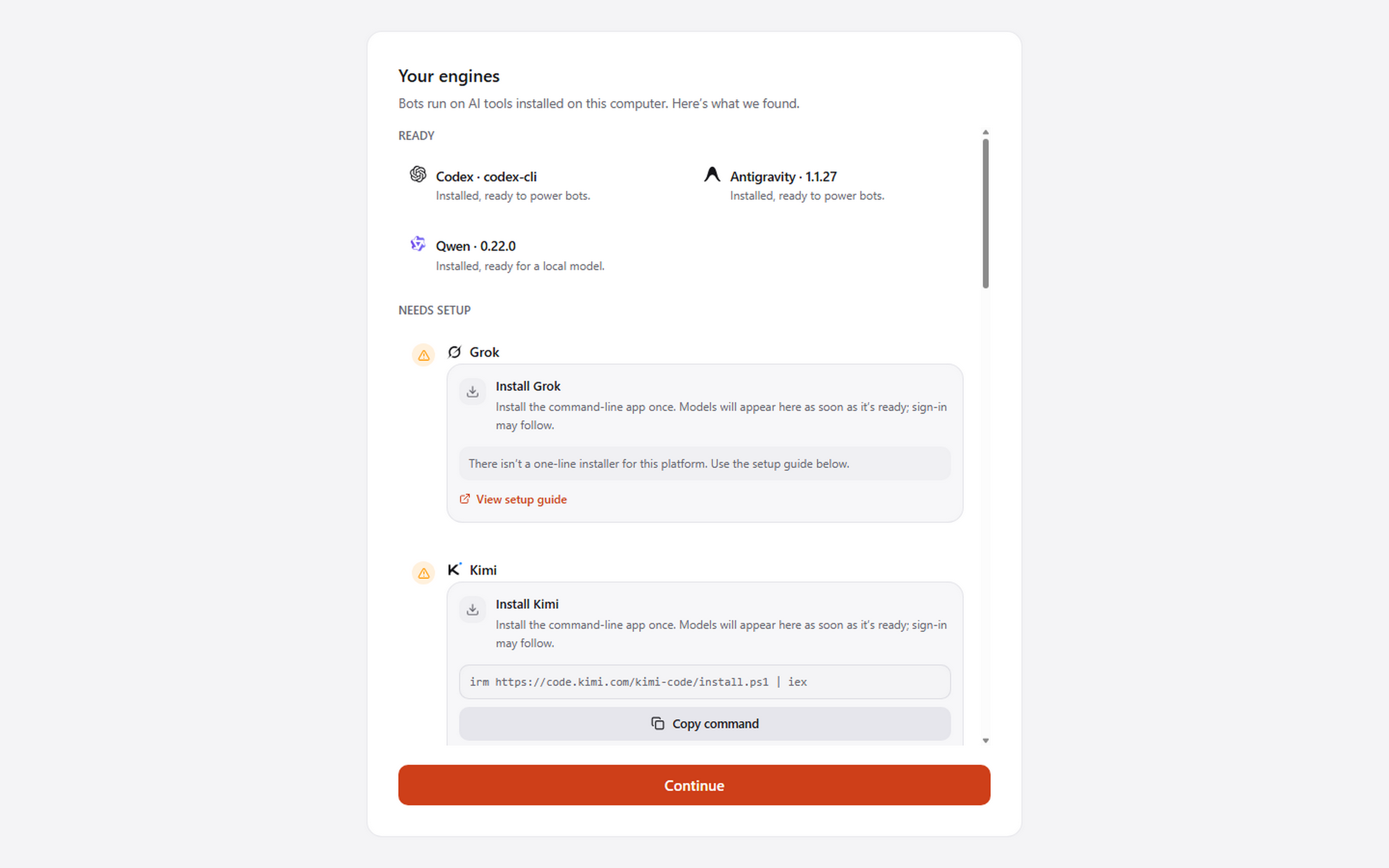
See Engines and models for the full list, and for what to do when an engine is installed somewhere Pragma cannot find.
Already have a licence key?
Keep it. If you bought Pragma before it went free, the key you have still works and there is nothing to change. See Your licence key.
Where your data lives
Everything Pragma keeps is under ~/.pragma on your own disk: conversations, agent configuration, memory, skills. Electron's window state and browser data sit in the normal per-user application data directory.
Nothing about a conversation is uploaded to us. What a message does reach is whichever model provider the agent's engine is signed in to.