
Giving them hands
Connected apps
Authorise Gmail, GitHub, Slack, Notion and several hundred more, and they become tools your agents can use.
Open Connected apps in the sidebar, pick a service, and finish its authorisation in your normal browser. The resulting connection becomes tools that supported engines can call, a model running on this computer included.
Apps are grouped by category, with a search box and a Featured row. The row at the top counts what you have connected; press it to see and manage those.
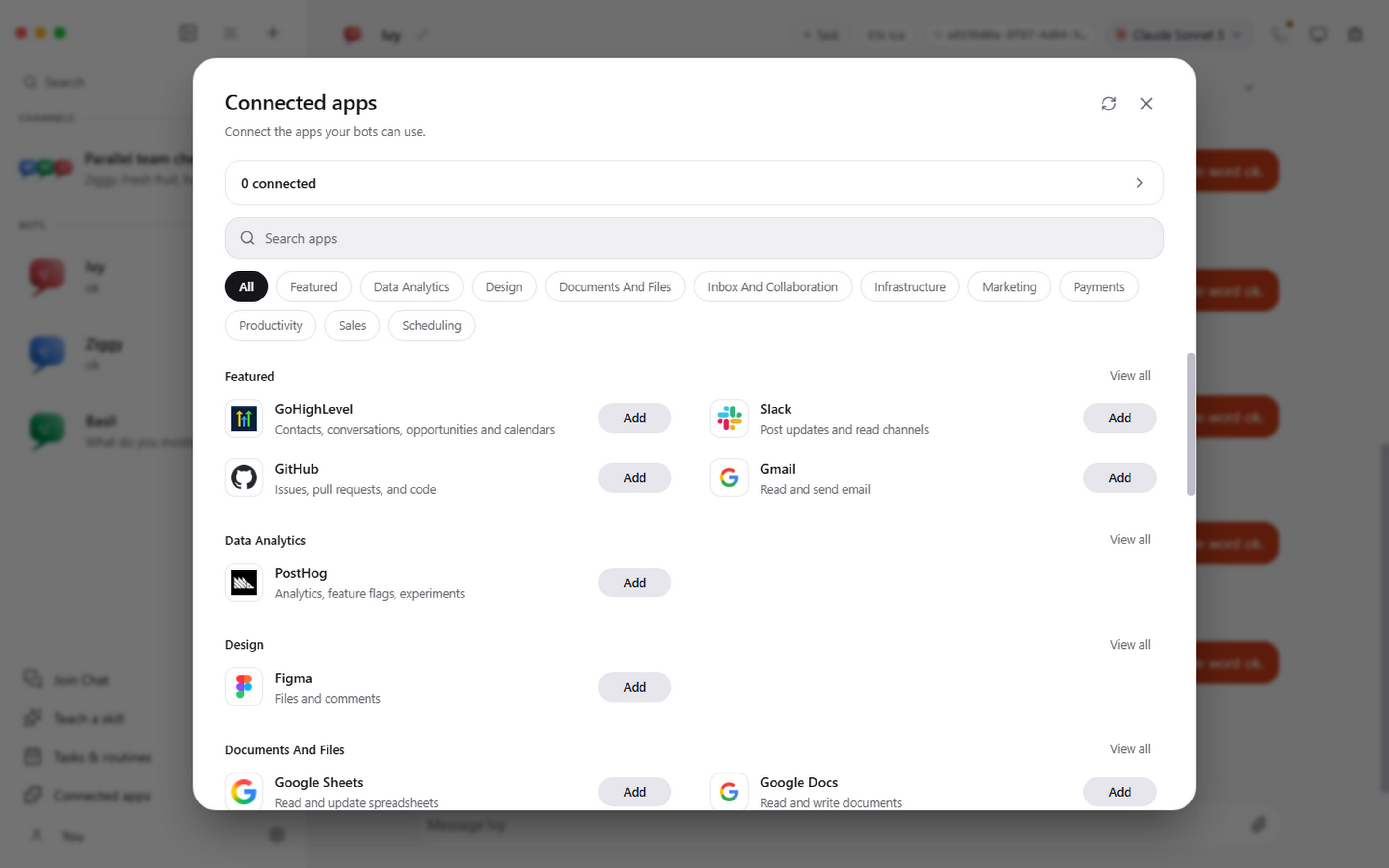
Connecting one
- Open Connected apps.
- Search for the service, or pick a category.
- Press Add.
- Finish the OAuth flow in the browser window that opens.
- Come back and ask an agent to use it.
There is no key to find and paste. The packaged app registers itself with Pragma's connected-apps service, which Systo runs, and keeps that registration in the operating system's secure storage.
The provider's OAuth tokens stay with the integration service. They are not written into prompts, and they never reach the part of the app that draws the window.
Keeping them across computers
Until you sign in, connections belong to the copy of Pragma that made them, so a reinstall or a second computer starts with none. Signing in ties them to you instead.
- Open Settings, then General. Your account is at the top of Profile. Pragma also asks you to sign in when it starts.
- Enter your email and press Email me a code. There is no separate sign-up: the first time you sign in creates your account.
- Type the 6-digit code from the email and press Sign in. The card shows who is signed in.
The first computer you sign in on hands the apps it already had to your account. Every other computer signed in as you gets the same set. Signing out of a computer cuts it off from them, and they stay with your account for next time.
It is a sign-in rather than your licence key on purpose. A key can be shared or leaked, and a key that opened somebody's connected inbox would make every leaked key a leaked inbox.
GoHighLevel
GoHighLevel is built into Pragma, so it works without the connected-apps service. Press Add on its card and choose one of two ways in.
Private Integration token. The usual choice. In your HighLevel sub-account:
- Open Settings, then Private Integrations, and choose Create New Integration.
- Tick the scopes your bots need: contacts, conversations, conversation messages, opportunities, calendars, calendar events, locations, custom fields and forms cover what most people want.
- Copy the token, which starts with
pit-. HighLevel shows it only once.
The Location ID is under Settings, then Business Profile, or in the app's address after /location/; pasting the whole address works too. Press Test and connect: Pragma checks the pair with HighLevel and shows the sub-account's name. Your bots then work with that sub-account through HighLevel's own MCP server: contacts, conversations, opportunities, calendars and more.
MCP server. If you already run a HighLevel MCP server, give its address, and optionally a token (sent to it as a bearer token) and a Location ID.
The token is kept in Pragma's encrypted store and never reaches a bot. A token saved for one way in is never sent to a different server. GoHighLevel follows the same per-bot Connected apps switch as every other app.
More than one account
Connect several accounts for the same service and label each one clearly: work, personal, client-acme. When more than one account could perform an action, Pragma makes you choose rather than silently using whichever it found first.
That is worth setting up before you need it. The alternative is discovering which inbox an agent used after it has already sent something.
Disconnecting
Disconnecting revokes the grant upstream. It does not merely hide the account in the interface. Other accounts for the same service are unaffected.
When a connection stops working
A service can end a connection from its side, for instance after a password change or when access is removed in your account's security settings. Connected apps then shows it as expired, with Reconnect. A bot that needs it shows the card to connect it and stops there, rather than trying again and again, and the task carries on once it is connected.
What an agent can do with one
Whatever the scope you authorised allows, which is why the OAuth screen is worth reading rather than clicking through. A connected inbox is a connected inbox: an agent that can read it can quote it, and an agent that can send from it can send from it.
Source builds
The managed service is a convenience for the packaged app. A build from source can point at your own integration project and API key instead.