
Working with agents
Routines and webhooks
Turn a prompt that worked into work that happens on a schedule, or when something else fires.
A routine starts a fresh task using the chosen agent's model, permissions, tools and computer setup. Once, or on the weekdays you pick.
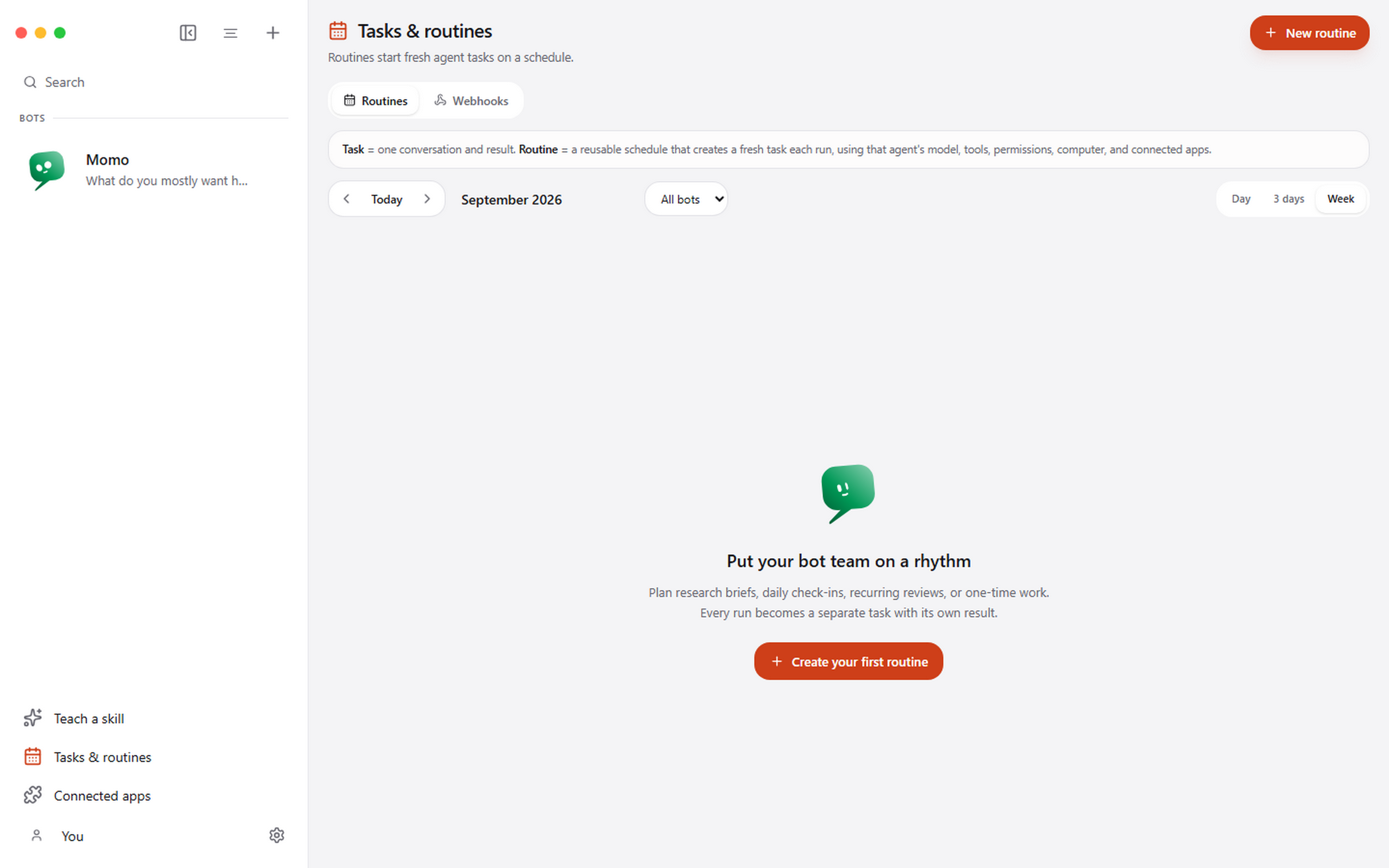
Making one
Open Tasks and routines, add a routine, choose the agent, write the prompt, and set when it runs.
Write the prompt as though the agent has never seen it before, because it has not: every run starts with fresh context rather than continuing yesterday's conversation. That is deliberate. A routine that accumulated context would drift a little further every morning until nobody could say what it was actually doing.
Team routines
Choose A team under Who does it? to have several agents work one routine together. Pick two or more, make one the lead, and give each its own goal: one researches, one writes, one checks the result.
Each run posts the prompt to the routine's own channel, which appears in the sidebar after the first run. The lead goes first with everyone's goals in view and hands out work by mentioning a teammate. A teammate does its part and reports back to the lead. Teammates the lead mentions in the same message work at the same time, and the lead speaks again once they have reported. The run ends when the lead writes the final result without mentioning anyone. It also ends at its turn limit or at the end of its calendar block, and then the lead is asked to wrap up and say what is left undone.
You can watch the channel while the team works, write in it at any point, and cancel the run from its receipt. A team routine runs on this computer, and a teammate that is busy in another conversation sits that turn out.
Reading the results
Every run leaves a receipt, and the receipt distinguishes queued, active, waiting, completed, missed, failed and cancelled. "Missed" is its own state on purpose: it means the app was not running when the routine came due, which is a different problem from a run that failed.
Webhooks
A webhook starts the same task executor from an outside HTTP request, independently of any schedule. The receiver listens on 127.0.0.1:8800 by default and exposes only a health route and your secret hook routes. It does not expose the rest of the Pragma API.
Prefer bearer authentication: it keeps the secret out of the URL, and therefore out of most access logs and browser history. A capability URL is available for senders that cannot set a header.
Reaching it from the internet
If an outside service has to reach a local webhook, proxy only the webhook receiver through a narrowly configured tunnel or relay.
When to use which
| Situation | Use |
|---|---|
| Every weekday at 7am | A routine |
| When a pull request opens | A webhook |
| Once, next Tuesday | A one-time routine |
| Right now, while you watch | A task |